You can install an AddOn package provided by Praim on the B91-VDI thin client (also called the Praim Berry thin client) or on the Agile4Pi device, using the ThinMan Console.
For more information on the ThinMan see this link: ThinMan User Guide.
First of all, add the AddOn file(e.g. "AddOnName_1.0.0.par") on the ThinMan Package Repository.
Procedure steps to load the AddOn file into ThinMan:
- On ThinMan Console select menu Tools -> Package Repository.
- On Package Repository window click on Add button.
- Click on Browse button and select the file;
- Click on OK and wait until the installation file is fully loaded in the Package Repository;
- Click on Close to close the Package Repository.
¶ Remote Manual Installation
In this case, a simple way to install a Praim AddOn on the device is to use the ThinMan operation "Update" -> "Install AddOn" (available by right-clicking the device).
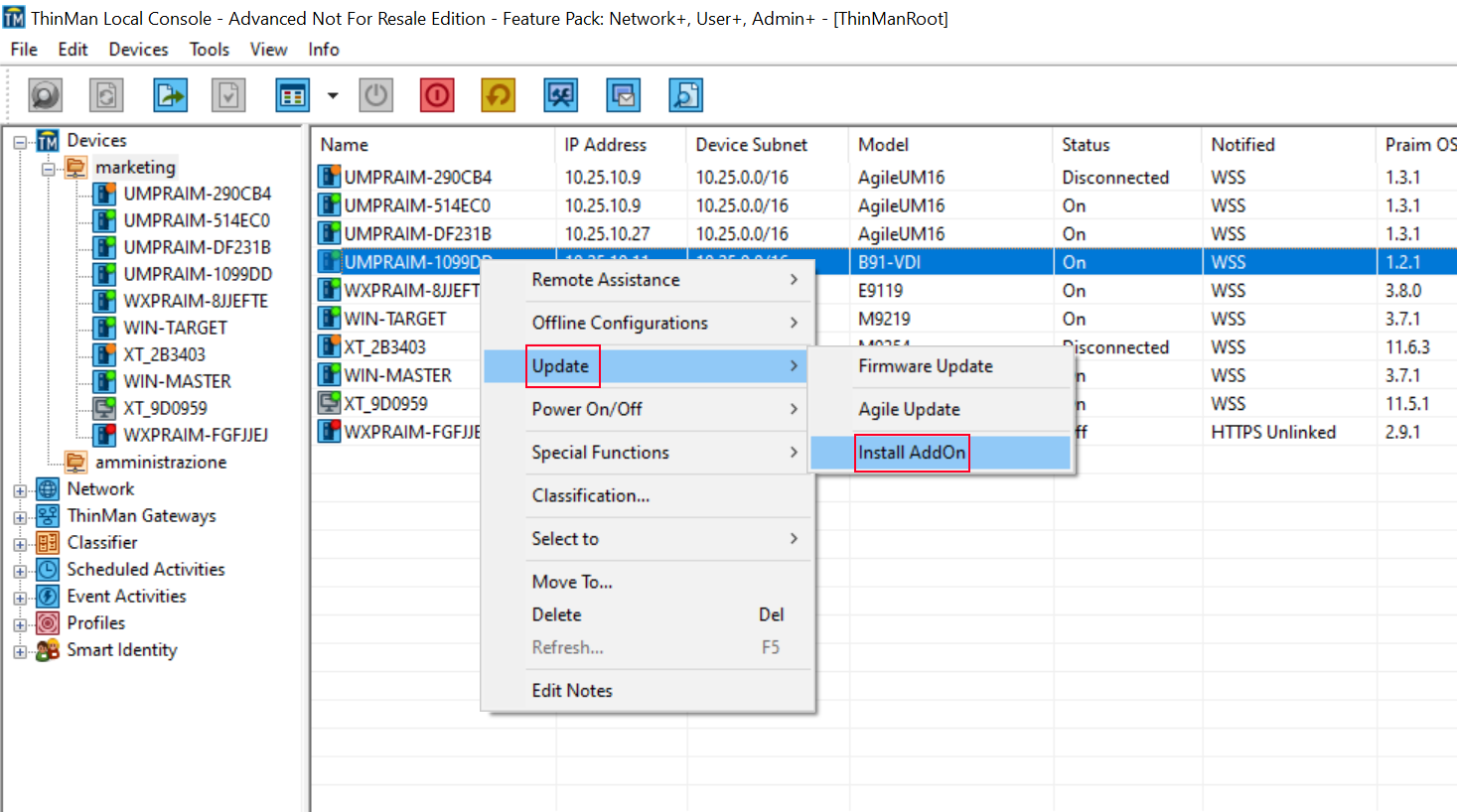
The command is available on a single device using the right-click menu. It is executed immediately. Remind that this type of operation will require a reboot of the device; accordingly, do it only when a user is not using the device.
Select the AddOn file (".par" file) from the Package Repository and click on OK. Then click Yes to confirm the operation.
The operation starts and will install the AddOn on the device.
¶ Remote Automatic Installation
With ThinMan you can create an Update activity that executes the command automatically.
Remind that the activity could be an Scheduled Activities or an Event Activities. A scheduled activity is executed at a specific time, while the event activity is executed when a specific event happens on the device.